
Content Pruning: When & How to Remove Content
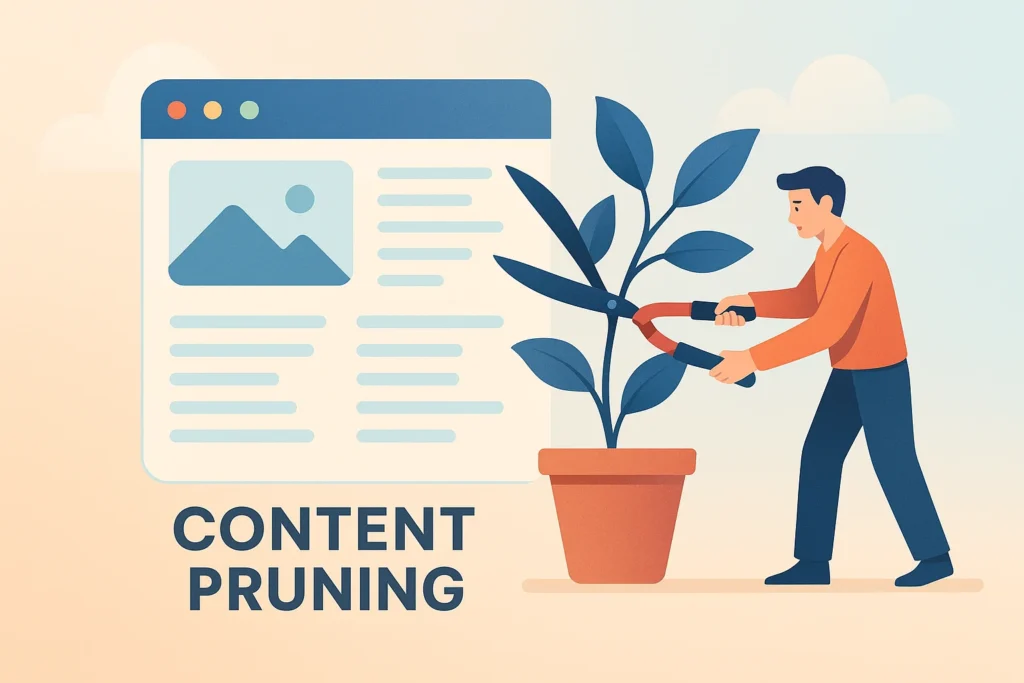
Your website probably has more content than it needs. I know that sounds backwards when everyone’s telling you to create more, more, MORE content. But here’s the thing nobody talks about: sometimes less is genuinely more when it comes to SEO performance.
Content pruning isn’t about being lazy or giving up on content creation. It’s about being strategic. Think of it like tending a garden – you don’t just plant new flowers, you also pull the weeds that are choking your prize roses.
The brutal truth? That blog post from 2018 about “Top Social Media Trends” isn’t helping your site anymore. It might actually be hurting it.
Why Content Pruning Actually Matters
Google doesn’t reward quantity anymore. It rewards quality & relevance. When you have hundreds of pages that get zero traffic, generate no engagement, and cover topics that are outdated or irrelevant, you’re essentially diluting your site’s authority.
I’ve seen websites increase their organic traffic by 20-30% after removing underperforming content. Sounds counterintuitive, right? But it works because search engines can focus on your best stuff instead of wading through digital clutter.
Poor content creates what I call “authority drain.” Each weak page is like a small hole in a bucket. One hole might not matter, but fifty holes? Your bucket won’t hold water.
Search engines have limited crawl budgets for most sites. When Googlebot wastes time crawling your mediocre content, it spends less time discovering and indexing your brilliant pieces.
Identifying Content That Needs Attention
Here’s where most people get overwhelmed. How do you decide what stays and what goes? The answer lies in data, not gut feelings.
Start with Google Analytics. Pull up your content performance over the last 12 months. Look for pages with fewer than 50 organic sessions. These are your first candidates for pruning.
But low traffic isn’t the only red flag. Check your bounce rates too. Pages with bounce rates above 85% and average session durations under 30 seconds are probably disappointing visitors.
Google Search Console reveals another crucial metric: average position. If your content consistently ranks below position 50 for its target keywords, it’s not competing effectively. Sometimes it’s better to admit defeat than keep flogging a dead horse.
User engagement metrics tell a story too. Look at comments, social shares, and internal link clicks. Content that generates zero engagement might be technically sound but emotionally flat.
Don’t forget to check for keyword cannibalisation. Multiple pages targeting the same keywords often end up competing against each other rather than dominating the search results.
The Three Pillar Framework
Once you’ve identified problematic content, you have three options: update, consolidate, or delete. I think of these as the three pillars of content pruning.
Update is your first choice for content with decent traffic but poor engagement. Maybe the information is outdated, or the writing style feels stale. Sometimes a fresh introduction and updated statistics can breathe new life into old content.
Consolidate works brilliantly for keyword cannibalisation issues. Take three mediocre posts about similar topics & merge them into one comprehensive guide. You maintain the traffic while creating something more valuable.
Delete should be reserved for truly hopeless content. Pages with zero traffic, completely outdated information, or content that no longer aligns with your brand direction.
The decision tree is simpler than you’d expect. High traffic + low engagement = update. Multiple pages + same topic = consolidate. Zero traffic + irrelevant topic = delete.
When Updating Makes Sense
Updating content is often your best bet when the topic is still relevant but the execution is lacking. I’ve rescued countless underperforming pages this way.
Look for content that ranks on page 2 or 3 for competitive keywords. These pages have potential but need refinement. Often, expanding the word count, adding fresh examples, and improving the structure can push them onto page 1.
Seasonal content deserves special attention. That Christmas gift guide from 2019 could be gold again with updated products and fresh recommendations. Don’t throw away good bones when you can add new flesh.
Technical content ages particularly poorly. If you have tutorials or how-to guides that reference outdated software versions or discontinued products, updating them preserves their value while maintaining any existing backlinks and authority.
Sometimes the issue isn’t the content itself but the presentation. Better formatting, additional subheadings, and improved readability can dramatically impact user experience without changing the core information.
The Art of Content Consolidation
Consolidation might be the most underused pruning technique. It’s perfect when you’ve created multiple pieces that cover similar ground but none comprehensively enough to dominate search results.
I recently helped a client merge five separate posts about email marketing tactics into one definitive guide. The result? A 150% increase in organic traffic for email marketing related keywords.
The process requires careful planning though. Start with the highest performing piece as your foundation. Then weave in the best elements from the other posts, creating natural transitions and eliminating redundancy.
Don’t forget about redirects when consolidating. Each deleted page should 301 redirect to the new comprehensive version to preserve link equity and prevent 404 errors.
User experience improves dramatically when people find everything they need in one place rather than bouncing between multiple incomplete resources.
Sometimes consolidation means creating entirely new content that supersedes multiple old pieces. This approach works particularly well for evolving topics where your perspective has matured over time.
Knowing When to Delete Content
Deletion is the nuclear option. Use it sparingly but don’t be afraid when it’s warranted.
Pages with zero organic traffic over 12 months are prime candidates. If nobody’s finding your content through search engines, it’s not serving its purpose. Exception: pages with strong direct traffic or referral traffic might still have value.
Completely outdated information should go. That post about Google+ strategies isn’t just irrelevant – it might actually confuse visitors about your expertise. Sometimes holding onto old content makes you look out of touch.
Thin content under 300 words rarely provides enough value to justify its existence, unless it serves a specific functional purpose like a contact page or terms of service.
Brand misalignment is another deletion trigger. If content doesn’t reflect your current positioning or values, it might be creating mixed messages for potential customers.
Before deleting anything, check for inbound links using tools like Ahrefs or SEMrush. Pages with quality backlinks deserve more consideration, even if their traffic is low.
Measuring Pruning Success
Content pruning isn’t a set it and forget it activity. You need to track the results & adjust your approach accordingly.
Monitor your overall organic traffic trends. A temporary dip immediately after pruning is normal, but you should see improvement within 8-12 weeks as search engines recrawl and reassess your site.
Watch your average session duration and pages per session. These metrics often improve after pruning because visitors are more likely to find relevant, engaging content.
Keyword rankings for your remaining content should gradually improve as your site’s overall quality score increases. This doesn’t happen overnight, but patience pays off.
Crawl budget efficiency is harder to measure directly, but you can track crawl frequency through Search Console. Sites with leaner content architecture often see more frequent crawling of important pages.
Don’t obsess over vanity metrics like total page count. A site with 100 excellent pages will outperform one with 500 mediocre pages every time.
Common Pruning Mistakes
Most people approach content pruning too aggressively at first. They delete everything that isn’t performing perfectly, which can actually harm their site’s authority.
Forgetting about redirects is probably the biggest technical mistake. Every deleted page should redirect somewhere relevant to prevent broken links and preserve any existing link equity.
Another common error is focusing solely on traffic numbers without considering conversion potential. Sometimes low traffic pages convert really well because they target specific, high intent keywords.
Seasonal fluctuations can be misleading. That Halloween costume guide might look useless in January, but it could be your top performer come October. Check full year performance before making decisions.
Internal linking gets overlooked too often. When you delete or consolidate content, you need to update internal links throughout your site to maintain good user experience and link flow.
The Bottom Line
Content pruning feels scary because we’re conditioned to think more is always better. But I’ve learned that strategic removal can be just as powerful as strategic creation.
The key is being systematic rather than emotional about your decisions. Let the data guide you, but don’t ignore common sense either. If content doesn’t serve your audience or support your business goals, it’s probably taking up space that could be better used.
Remember, this isn’t about being lazy or giving up on content marketing. It’s about being strategic and focusing your energy on what actually works. Your future self will thank you when your remaining content starts performing better across the board.
