
Technical SEO
The Breakline Audit: All 121 Technical Checks We Perform
What a full technical SEO audit checks, from HTTPS, crawlability and redirects to sitemaps, meta tags, hreflang, speed, links and mobile.
 By Alexander Thomas, Founder Updated 14 min read
Key takeaways
- The audit's checks fall into eleven categories, from security and crawlability to JavaScript, links and mobile set-up.
- Secure every page with HTTPS, keep certificates valid and fix mixed content, because visitors bounce from browser warnings.
- Fix broken pages, canonical chains, stray noindex tags and redirect chains, which can waste crawl budget, confuse bots or kill traffic.
- Keep your XML sitemap clean, listing only working, indexable, canonical pages, and reference it in your robots.txt file.
- Software flags issues, but a person needs to interpret the data and decide which fixes are critical and which can wait.
On this page14 sections
The Breakline Audit is a massive 121-point inspection of your website that uncovers exactly why you aren’t ranking where you should be.
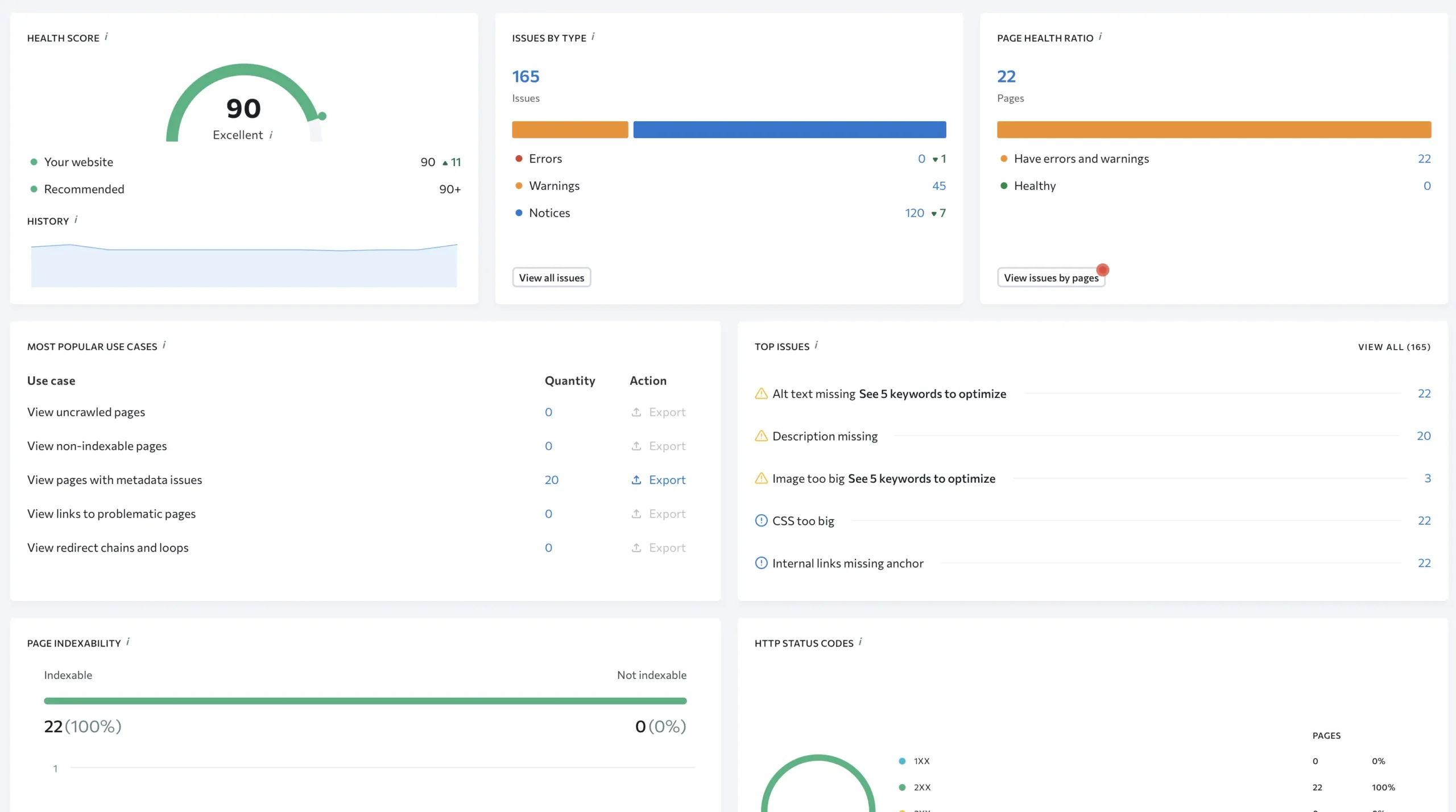
We don’t just export a PDF from a generic tool and call it a day because that is lazy work. Instead, we run every audit through a professional crawling platform that checks well over 100 technical factors, and then our specialists review the results by hand. The checks below are the full list we work through.
This process is the only way to ensure that search engines can access, understand, and value your content properly. If you want the short answer, that is it. We look at everything so nothing breaks.
I have been doing this for 15 years. That is a long time in SEO years. I have seen trends come and go. I have seen people panic over updates that turned out to be nothing.
But the one thing that never changes is the need for a solid technical foundation. You can write the best content in the world but if your site blocks Google from reading it then you are wasting your time.
Category | Component | Specific Checks & Issues We Look For |
|---|---|---|
1. Security | HTTPS & Encryption | Missing HTTPS encryption; outdated encryption algorithms; outdated security protocol versions. |
Certificates | Certificate name mismatches; security certificates expiring soon. | |
Mixed Content | HTTP elements loading on HTTPS pages (breaking the secure padlock). | |
Sitemap Security | HTTP URLs erroneously included in the XML sitemap. | |
2. Crawlability | Status Codes | 4XX (broken links), 5XX (server errors), and page timeouts. |
Canonical Issues | Canonical chains; canonical URLs pointing to 3XX, 4XX, or 5XX pages. | |
Robots & Indexing | Pages blocked by | |
Robots.txt | File validity; accessibility; errors like redirect loops; accidental “disallow” commands. | |
URL Structure | URLs that are too long or poorly structured. | |
3. Redirects | Chains & Loops | Redirect chains; infinite redirect loops; meta refresh redirects. |
Targets | Redirects pointing to broken (4XX) or server error (5XX) pages. | |
Status Types | Improper 3XX codes; specific flags for temporary redirects (302, 303, 307). | |
4. XML Sitemap | Inclusion Errors | Inclusion of 3XX, 4XX, 5XX, |
File Health | Missing sitemap; file too large; timeouts; sitemap not referenced in | |
5. Meta Tags | Title Tags | Missing, multiple, or duplicate tags; titles that are too long or too short. |
Meta Descriptions | Missing, multiple, or duplicate descriptions; descriptions exceeding length limits. | |
6. Content | Duplicates | Duplicate content across pages; pages with multiple |
URL Formatting | Trailing slash inconsistencies; double slashes; WWW vs. non-WWW redirect failures. | |
H1 Tags | Missing, empty, multiple, or duplicate H1s; H1s that duplicate the Title tag; H1s that are too long. | |
Images | Broken images (4XX/5XX); redirected images (3XX); missing alt text; files that are too large. | |
7. Localization | Hreflang Config | Invalid language codes; mismatches with HTML lang tags; missing |
Link Hygiene | Hreflang tags pointing to non-canonical/3XX/4XX pages; missing self-referencing links. | |
Conflicts | Multiple language codes on one page; invalid HTML lang attributes. | |
8. Performance | Core Web Vitals | LCP, CLS, and INP scores (measured in both Lab and Real-World conditions). |
Load Metrics | Speed Index; First Contentful Paint (FCP); Time to Interactive (TTI); Total Blocking Time (TBT). | |
Size | Excessive HTML page size; uncompressed content. | |
9. JS & CSS | File Errors | External JS/CSS files returning 3XX, 4XX, or 5XX errors. |
Optimization | Files not compressed, minified, or cached properly. | |
Bloat | Excessive number of JS/CSS files; specific files that are too large. | |
10. Links | Internal Linking | Orphan pages; pages with only one inbound link; internal links to redirects/missing anchors. |
External Linking | Links pointing to broken (4XX) or redirected (3XX) external sites; links missing anchor text. | |
Nofollow | Audit of internal and external links tagged with | |
11. Mobile | Mobile Config | Missing viewport meta tags; fixed width values (breaking responsiveness). |
General | Missing Favicon; missing Twitter/X Card tags; incompatible plugins. |
A proper technical SEO audit is not about ticking boxes. It is about understanding the architecture of information. It is about empathy for the user and for the bot. They both want the same thing which is a fast and error-free experience.
Security Is The Absolute Baseline
We start with security because if your house has no locks it doesn’t matter how nice the furniture is. Security is trust. Google needs to trust you and your users need to feel safe.
It seems obvious yet I still see sites getting this wrong every single week.
HTTPS and Encryption
The first thing we check is HTTPS and encryption. We look for missing HTTPS encryption across the site. It is shocking how many sites still have HTTP pages lurking in the shadows.
We also check for outdated encryption algorithms and security protocol versions that might trigger browser warnings. Nobody clicks through a warning screen. They just bounce.
Certificates and Mixed Content
Then we look at certificates. We flag certificate name mismatches and we check if the security certificate is expiringsoon. I once saw a massive e-commerce brand lose thousands in revenue because their certificate expired on a Sunday and nobody noticed until Monday morning. That is the kind of headache we try to avoid.
Mixed content is another pest. This happens when a secure HTTPS page loads insecure HTTP elements like images or scripts. It breaks the padlock icon in the browser.
We identify these mixed content issues so you can secure every single asset. We also check Sitemap Security to ensure no HTTP URLs are erroneously included in your XML sitemap. You should never tell Google to crawl the insecure version of your page.
Crawlability and Indexing Controls
This is where the real work begins. If Google cannot crawl it then it does not exist. It is that simple. Crawlability is the gatekeeper of SEO.
Status Codes and Errors
We scan the entire site for Status Codes. We are looking for 4XX broken errors and 5XX server errors. We also look for page timeouts.
A 404 error here and there is natural but if you have thousands of them you are wasting crawl budget. Googlebot has a limit on how much time it spends on your site. You do not want it spending that time hitting brick walls.
Canonicalization
Canonical issues are tricky. We identify canonical chains where page A points to B which points to C. That is confusing for bots. We also check for canonical URLs pointing to 3XX redirects or 4XX and 5XX error pages.
The canonical tag is your way of telling Google which version of a page is the master copy. If you mess this up you risk duplicate content penalties.
Robots and Indexing
Robots and Indexing checks are vital. We check for pages blocked by noindex directives in the HTML or the HTTP Header. We check for the X-Robots-Tag and nofollow attributes.
Sometimes developers leave a ‘noindex’ tag on a production site after pushing it live from staging. It happens more often than you would think. It kills traffic instantly.
We also validate the Robots.txt file. We check if it is found and accessible. We look for syntax errors or redirect loops. We make sure you aren’t accidentally disallowing important sections of your site. We also flag URL Structure issuesspecifically URLs that are too long. Super long URLs look spammy and are hard for users to share.
The Messy Reality of Redirects
Redirects are the silent killers of site speed and crawl budget. Over time websites accumulate redirects like an old attic accumulates junk. It is messy.
Chains and Loops
We identify Redirect Chains and Loops. A chain is when page A redirects to B which redirects to C. This slows down the load time for the user and dilutes the link equity passing through.
An infinite loop is even worse because it crashes the browser. We also check for meta refresh redirects which are an outdated and spammy way to move users around.
Targets and Status Codes
We check Redirect Targets. You should never redirect a user to a 4XX or 5XX error page. That is just rude. If you are moving a page make sure the destination actually works.
Then we review Status Types. We look at all 3XX HTTP status codes. Specifically, we flag temporary redirects like 302, 303, and 307.
In most cases, you want a 301 permanent redirect to pass full SEO value. Using a 302 tells Google the move is only for a little while so they might keep indexing the old page. Unless that is what you want it is usually a mistake.
XML Sitemap Hygiene
Your sitemap is a map for search engines. It should be clean and precise. It should not be a dumping ground for every URL your CMS generates.
We check for Inclusion Errors. This is a big one. We check for 3XX redirects, 4XX errors, 5XX server errors, noindex pages, or non-canonical pages incorrectly included in the sitemap.
If you tell Google “Hey, come look at this page” and then that page says “Go away” or “I don’t exist” you are sending mixed signals. Google hates mixed signals.
We validate File Health. We check if the sitemap is missing completely or if it is too large. Google has limits on file size and URL count per sitemap. We also check if it is timing out or if it is not referenced in the robots.txt file. You want to make it as easy as possible for the bots to find this file.
Meta Tags and On-Page Elements
This section bridges the gap between technical setup and content strategy. These are the elements that appear in the search results and determine whether someone actually clicks on your site.
Titles and Descriptions
We scan Title Tags relentlessly. We look for missing tags, multiple tags on one page, or duplicate tags across different pages. We also flag titles that are too long because they get cut off in the SERPs or too short because they waste an opportunity. The title tag is arguably the single most important on-page ranking factor.
Meta Descriptions are next. We check for missing, multiple, or duplicate descriptions. We also check for descriptions that exceed length limits.
While descriptions don’t directly impact rankings they massively impact click-through rates. A missing description means Google will pick random text from your page which rarely looks good.
Duplicates and URL Formatting
We look for Duplicates and Canonicals on the page level. We flag duplicate content which is a common issue on e-commerce sites with product variations. We also check for pages with multiple rel=”canonical” tags which confuses the heck out of bots.
URL Formatting matters too. We check for trailing slash consistency. You should decide whether your site uses a slash at the end of URLs or not and stick to it. We also check for double slashes and WWW redirects to ensure there is only one version of your site accessible.
Headers and Images
H1 Tags get specific checks. We look for missing, empty, or multiple H1 tags. We check for duplicate H1s across the site and H1s that are just copies of the Title tag. Your H1 is the main headline for the user. It should be descriptive and unique.
Images are often ignored but they are heavy. We identify broken images returning 4XX or 5XX errors. We check for redirected images. We flag missing alt text which is crucial for accessibility and image search. We also identify images that are too large and slowing down the page.
Localization and International SEO
If you target multiple countries or languages this part is a nightmare if you get it wrong. I have seen big brands accidentally de-index their entire German site because of a bad tag.
We validate Hreflang Configuration. We check for valid language codes and matching HTML lang tags. We ensure x-default attributes are set correctly for users who don’t match any specific language settings.
Link Hygiene in localization is specific. We check for hreflang tags pointing to non-canonical pages or broken pages. We also ensure self-referencing links exist. Every page needs to list itself in the hreflang cluster. It is a weird rule but you have to follow it.
We look for Conflicts. This includes multiple language codes on one page or invalid HTML lang attributes. You can’t tell Google a page is both French and Spanish at the same time unless you enjoy chaos.
Speed and Performance Metrics
Speed is not just a luxury anymore. It is a ranking factor. Users are impatient. If your site takes three seconds to loadthey are gone.
Core Web Vitals
We measure Core Web Vitals. This includes LCP or Largest Contentful Paint, CLS or Cumulative Layout Shift, and INP or Interaction to Next Paint.
We look at these in both lab and real-world conditions. Real-world data is what actually matters because that is what your users are experiencing on their cheap Android phones on a 3G connection.
Load Metrics and File Size
We check Load Metrics like Speed Index, FCP or First Contentful Paint, TTI or Time to Interactive, and TBT or Total Blocking Time. These acronyms might sound boring but they represent the frustration of a user waiting for a button to work.
We flag Size issues. This includes pages with excessive HTML size or uncompressed content. I often find that developers leave debug code or massive comments in the production enviornment which bloats the file size for no reason. It is sloppy.
JavaScript and CSS Optimization
Modern websites are heavy on code. JavaScript is great for functionality but it can be a disaster for SEO if not handled right.
We check for File Errors in your external resources. We look for JS and CSS files returning 3XX, 4XX, or 5XX status codes. If a style sheet is broken your site looks like it is from 1999.
Optimization is key here. We scan for files that are not compressed, minified, or cached. Minification removes all the unnecessary spaces and comments from the code to make it lighter. Caching ensures that returning visitors don’t have to download the same files twice.
We check for Bloat. We flag if there are too many JS or CSS files or if specific files are too large. Combining files can often reduce the number of HTTP requests and speed things up significantly.
Link Architecture and Health
Links are the nervous system of your website. They connect everything together and pass authority from one page to another.
Internal Linking Strategy
We look for Internal Linking issues. We identify orphan pages which are pages with zero inbound links. If you don’t link to a page internally you are telling Google it is not important.
We also check for singular inbound links and internal links pointing to redirects or missing anchors. Descriptive anchor text helps Google understand what the destination page is about.
External Links and Nofollows
External Linking is about who you associate with. We check for external links pointing to broken pages or redirects. Linking to a 404 page is a bad user experience. We also check for links missing anchor text.
We review Nofollow usage. We look at internal and external links tagged with nofollow. You generally shouldn’t nofollow your own internal links unless you have a very specific reason like a login page or a cart. I see people nofollowing their blog posts sometimes and I just have to ask why.
Mobile and Responsiveness
We live in a mobile-first world. Google indexes the mobile version of your site. If your mobile site is bad your rankings are bad. Period.
We check specifically for Mobile issues. We look for missing viewport meta tags. This tag tells the browser how to scale the content to fit the screen.
We also check for fixed width values that break responsiveness. If I have to scroll horizontally to read your text I am leaving.
Finally we check General elements. We verify the presence of a Favicon. We check for X Card tags which used to be Twitter Cards. We also check for incompatible plugins. Flash is dead but sometimes I still find remnants of it on very old sites.
Why We Go This Deep
You might be wondering if all 121 checks are necessary. Can’t we just fix the big stuff? Sure. You can. But the difference between page 1 and page 2 is often the sum of fifty small things. SEO is a game of inches.
I remember a client a few years ago. They were a massive publisher. They had great content and decent links. But they were stuck.
We ran the Breakline Audit and found a weird canonical issue combined with a pagination problem that was effectively telling Google to ignore 60% of their archives. It wasn’t one big red button that was pressed. It was a combination of small technical failures.
We fixed it. Traffic went up 40% in three months. That is the power of a technical SEO audit.
It is tedious work. It takes time. But it is the only way to be sure.
The Human Element of Technical SEO
Data is essential. That is why every audit runs through a professional crawling platform. But software cannot tell you *why* something matters in the context of your business.
A tool will flag a 404 error. But a human needs to decide if that 404 should be a 301 redirect to a relevant category or if it should just be left alone.
I think too many agencies rely on automated reports. They send you a generated score of 85/100 and say “good job”. That is useless.
What does the 15% represent? Is it a critical security flaw or just some missing alt text on a decorative image?
You need a human to interpret the data. You need someone to prioritize the fixes. Not every technical issue needs to be fixed today. Some things are critical and some things are nice-to-have. We help you figure out the difference.
Final Thoughts
This list of 121 checks is our bible. It is how we ensure quality. It is how we sleep at night knowing we didn’t miss anything obvious.
I have spent years refining this list. It grows and changes as Google changes. But the core principle remains the same. Build a solid foundation.
Keep it clean. Keep it fast. Make it easy for the bots and the users will follow.
It is not magic. It is just really thorough engineering. And honestly that is what wins in the long run.
Frequently asked questions
What is mixed content and why does it matter?
Mixed content happens when a secure HTTPS page loads insecure HTTP elements such as images or scripts. It breaks the padlock icon in the browser. Every asset should be secure, and your XML sitemap should never include HTTP URLs, because you should never tell Google to crawl the insecure version of a page.
Why are canonical chains a problem?
A canonical chain is when page A points to page B, which points to page C, and that is confusing for bots. The canonical tag is how you tell Google which version of a page is the master copy. Canonical URLs should also never point to redirects or to error pages.
Should you use a 301 or a 302 redirect when you move a page?
In most cases you want a 301 permanent redirect to pass full SEO value. A 302 tells Google the move is only for a little while, so it might keep indexing the old page, and unless that is what you want it is usually a mistake. Make sure the destination actually works, because you should never redirect a user to an error page.
What should an XML sitemap leave out?
Your sitemap should not be a dumping ground for every URL your CMS generates. Leave out redirects, error pages, noindex pages and non-canonical pages, because listing them sends Google mixed signals. Also check that the sitemap is not too large, does not time out and is referenced in your robots.txt file.
Which speed metrics does a technical audit look at?
The Core Web Vitals checked are Largest Contentful Paint, Cumulative Layout Shift and Interaction to Next Paint, in both lab and real-world conditions. Load metrics such as Speed Index, First Contentful Paint and Total Blocking Time are checked too. Real-world data is what actually matters, because it reflects what your users are experiencing.
What are orphan pages?
Orphan pages are pages with zero inbound internal links. If you don't link to a page internally, you are telling Google it is not important. Internal links that point to redirects or missing anchors are also worth fixing, and descriptive anchor text helps Google understand what the destination page is about.
Why can't an automated audit score replace human review?
A tool will flag a 404 error, but a person needs to decide whether it should become a 301 redirect to a relevant category or be left alone. An automated score does not tell you whether the missing points are a critical security flaw or missing alt text on a decorative image. Someone needs to interpret the data and prioritise the fixes.
Further reading
- HTTPS as a ranking signal, Google Search Central
- What is mixed content?, web.dev
- Crawl budget management, Google
- Consolidating duplicate URLs with canonical tags, Google Search Central
- Web Almanac 2025: Performance chapter, HTTP Archive (Web Almanac)